Coach and Bench Staff Registration Process - How to Upload Your VSC
How to Upload your VSC once you get it back:
If you don't already have a Spordle account, go to Spordle Login and make an account.
Once you have a Spordle account (already have one or just made one) you will need to write down your HCR# for the Screening Submission Portal.
You can find your HCR# here:
- Select "Members" on the left side
- Select your Profile
- Click "View Profile" under your association
- Your HCR# is the 17 digit number under your name
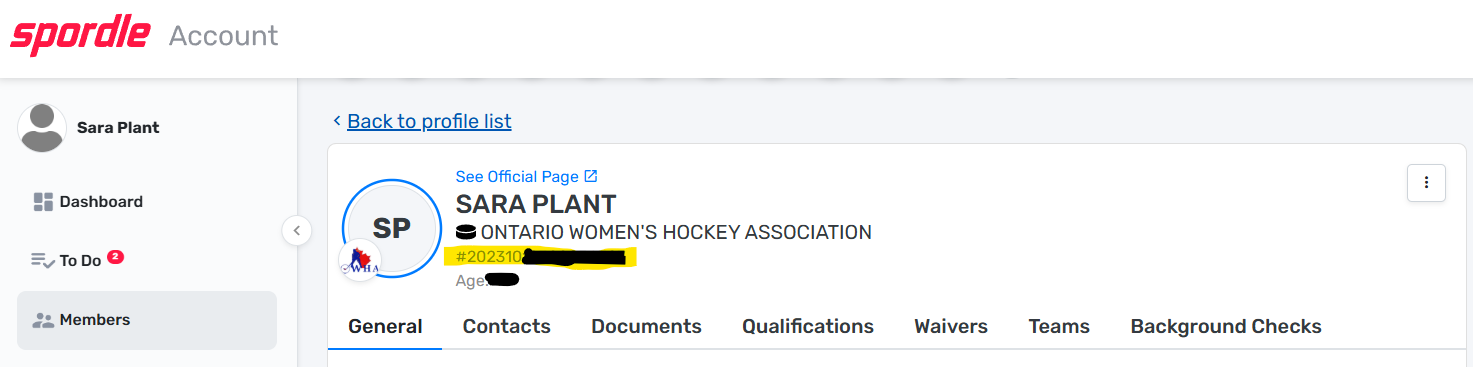
Once you have your HCR# from your account (log out) and follow the next step below. It is VERY IMPORTANT that you ONLY use THE LINK IN THE NEXT STEP to UPLOAD your VSC. Do not upload it in your Spordle account, they will not approve it there.
Go to this link:OHF Online Ontario Screening Submission Portal
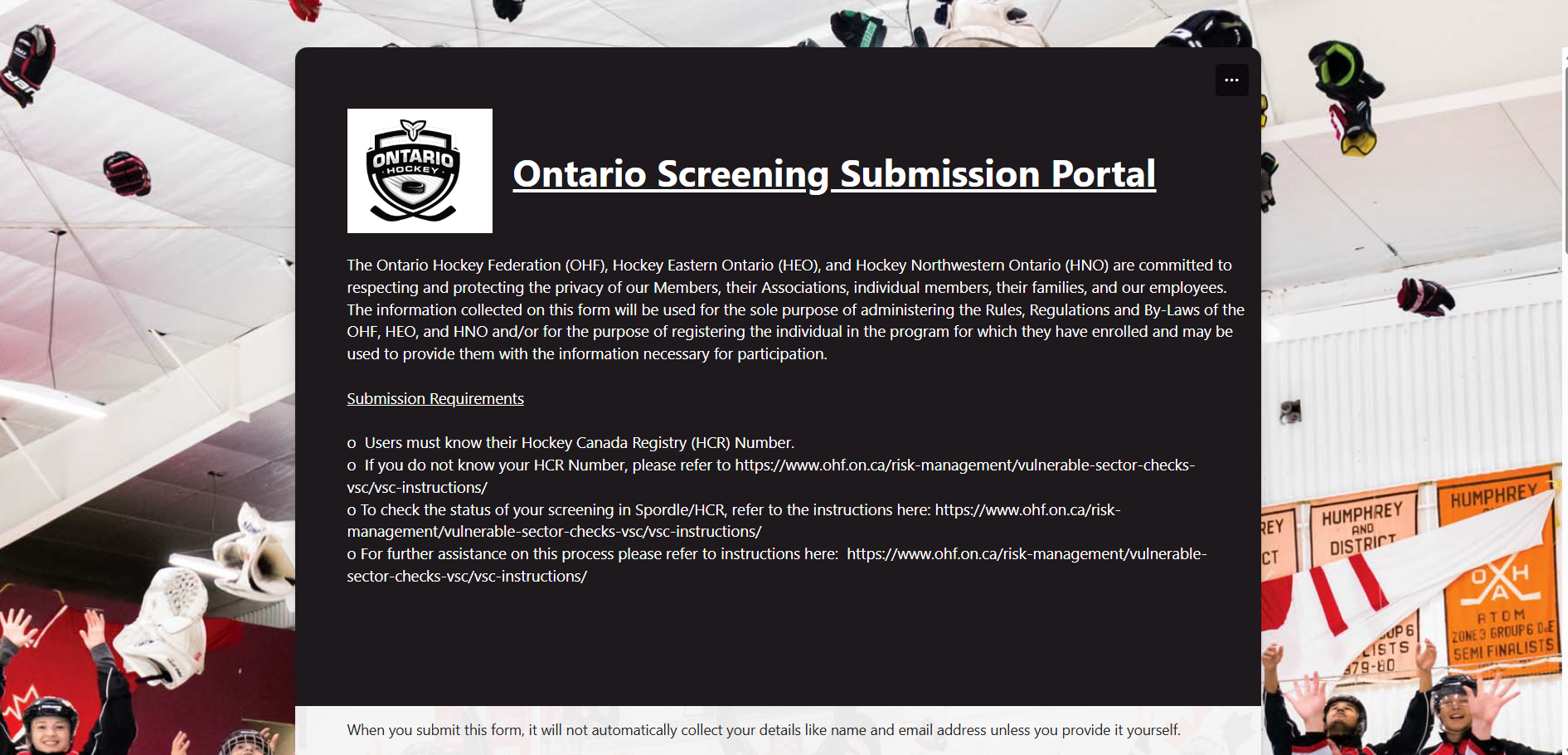
Then fill out the information:
- Ontario Hockey Federation
- Your 1st name
- Your last name
- Your Birthday
- Your email address
- Your HCR Number (You can find your number on your Spordle account). To find it, log in to Spordle Login | Spordle Account. Click "Members" on the left side. Click your profile. Click "View Profile" under your association. Your HCR# is the 17 digit number under your name.
- No (unless you are)
- Yes (this will make question #9 appear)
- You will click the link and it will open a new window where you will upload your VSC in PDF format (it MUST be in PDF format) ***During document upload you must ensure the FIRST NAME and LAST NAME are an EXACT MATCH to your responses to Question 1 & 2. Also avoid using special characters when naming your document.
- This is what the screen looks like where you upload your VSC:
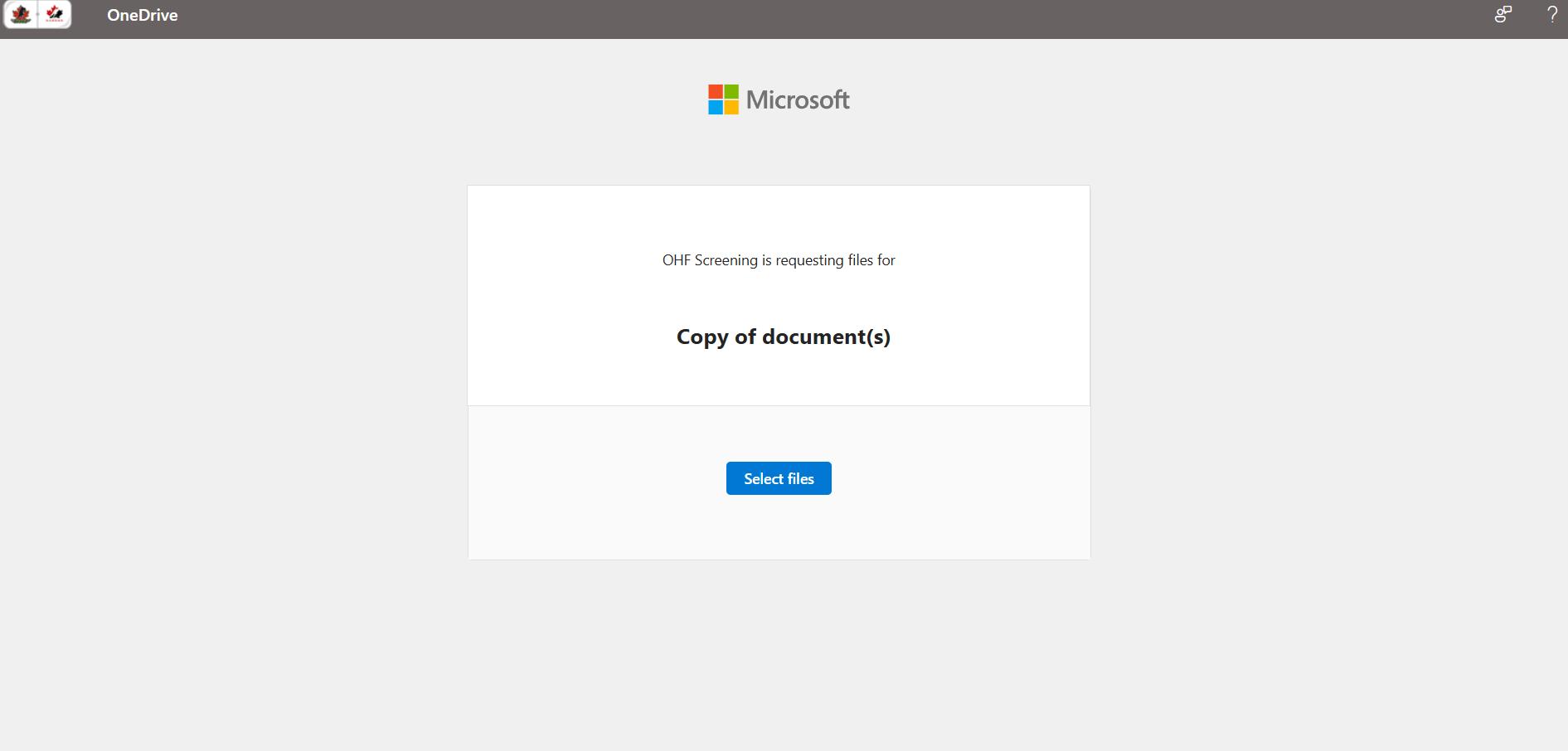
After you upload your VSC, go back to the first page you were on where you were answering the questions to finish the form.
Click "I have uploaded a copy of my Vulnerable Sector Check" (see the picture below)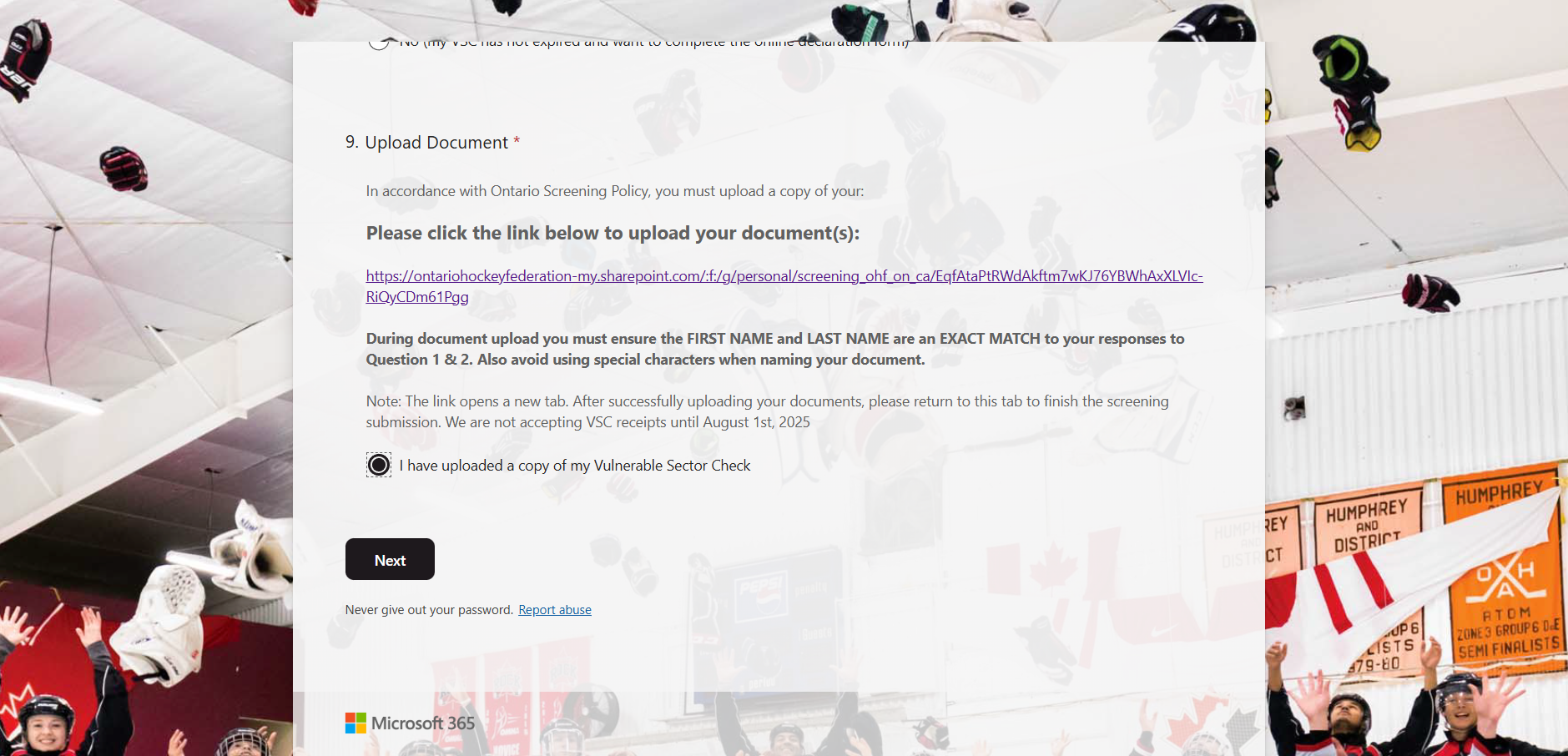
The click Next
This screen is next: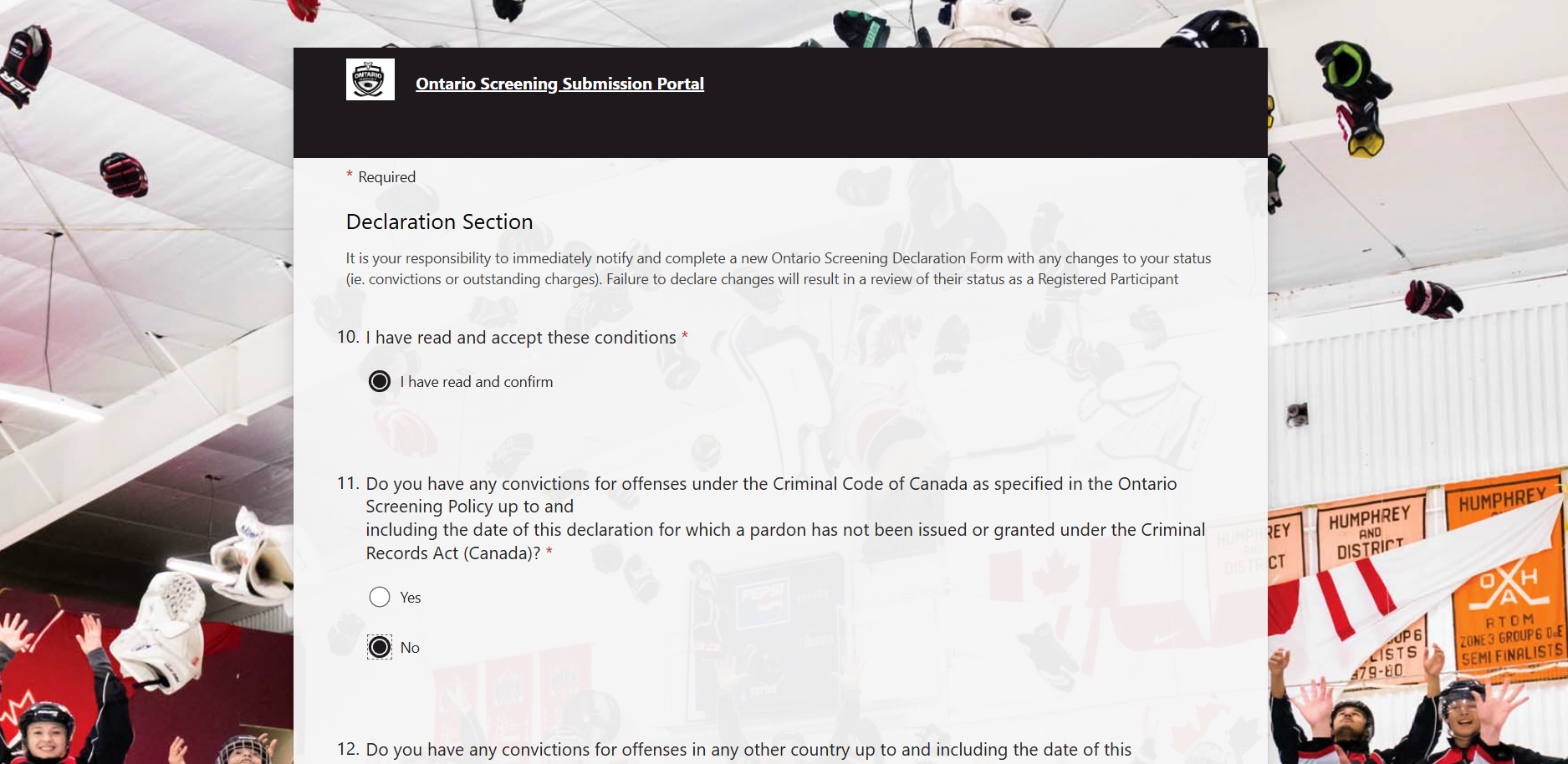
- Answer this question
- Answer this question (if you click No, Question 12 will appear)
- Answer this question (if you click No, Question 13 will appear)
- Answer this question (if you click No, Question 14 will appear)
- Answer this question (if you click No, Question 15 will appear)
- Click Confirm
Click Submit.
Please send me a quick email to let me know that you have completed these steps.
Thank you to our Platinum sponsor